06. sos-vault File Browsing Features
sos-vault File Browsing Features
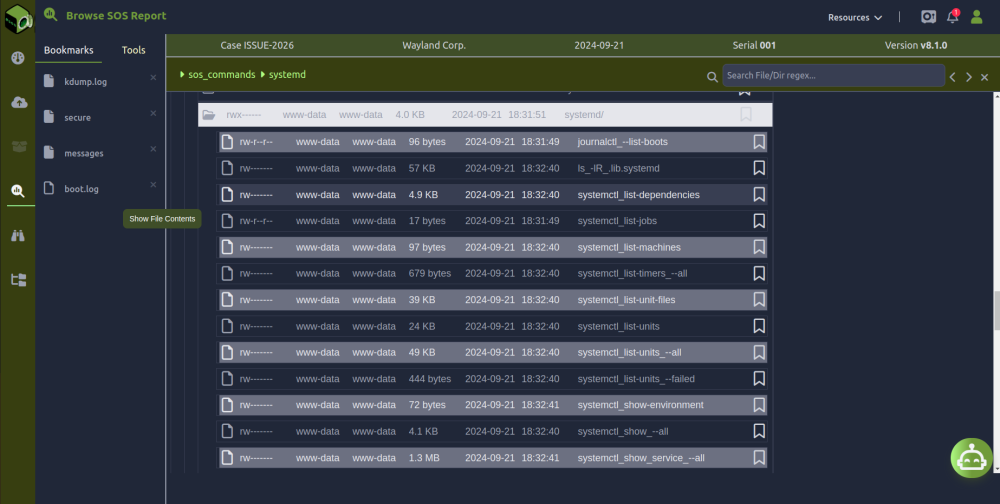
sos-vault makes navigating and analyzing sos-reports effortless. With its intuitive browsing features, users can quickly find the information they need. Here’s what makes it stand out:
- Structured Report Navigation
sos-vault automatically organizes sos-reports into clear categories, making it easy to browse system logs, configurations, and performance data.
- Fast Search and Filtering
Instantly locate specific files, logs, or error messages using powerful search and filtering tools, eliminating the need to manually sift through large reports.
- File Preview Without Downloading
View key files directly in the browser without downloading large archives, saving time and reducing unnecessary storage use.
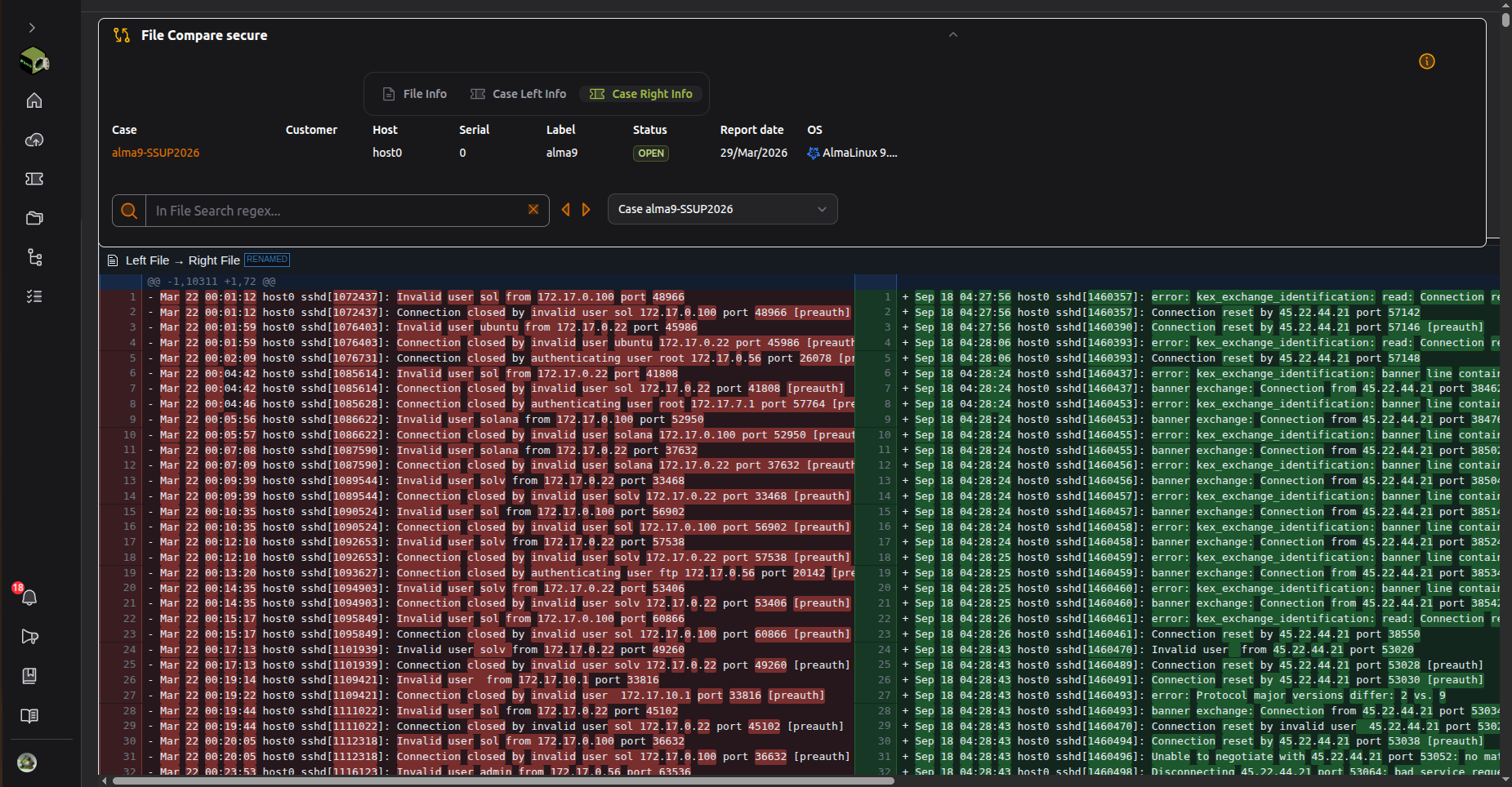
- Side-by-Side Comparisons
Easily compare different sos-reports to track changes, identify trends, and detect anomalies over time.
- Bookmarking Important Sections
Mark important files, logs or directories for quick reference, ensuring easy access to critical data without repeated searches.
- Collaborative Access and Sharing
Securely share reports and findings with team members, streamlining collaboration and troubleshooting efforts.
Conclusion
sos-vault simplifies the browsing experience, allowing users to quickly navigate, search, and analyze sos-reports efficiently. With structured navigation, fast search, and collaboration tools, it makes Linux system diagnostics more accessible and effective.